I use darktable to organize and edit my photos. It is free, open source, and supports a fairly sophisticated api for writing plugins in lua. It was a bit intimidating at first, given that it's the first raw developer I've used, but I think I'm starting to learn my way around the basics.
contact sheet lua script
[code]
In film photogrpahy, a contact sheet is a print that shows every frame of the
roll, and is usually used to review each shot and select what is to be printed
with what edits. Darktable has a official lua
script selection_to_pdf
(found here) that
exports selected photos to a pdf, but it is fairly haphazard, and doesn't have
offer any customization that could be used to make it look like a traditional
contact sheet.
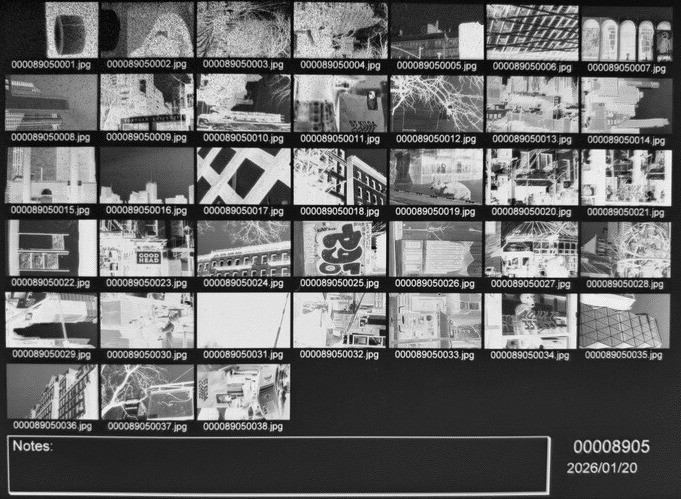
Contact sheets are pretty easy to generate
using ImageMagick's montage
command (thanks to shom for this tip). Here's
an example:
montage -verbose -background 'black' -geometry 500x500+10+10 \
    -auto-orient *.jpg -tile 6x contact-sheet.jpg
Setting geometry to XxY+Z+W produces a contact sheet
where the images are each of size XxY pixels and are separated by
horizontal gaps of Z and vertical gaps of W pixels. The tile
option determines how many images will be displayed per row.
Given how easy the basic task is here, it seemed like a good place to jump
into learning darktable's plugin system, or "lua scripts", and indeed, it was
just a matter of following the lua api documentation to make
some UI elements for tweaking the arguments provided to montage.
~
backlinks: photography notes
>> created 2026-01-29 <<